The top bar
The top bar gives you quick access to the main tools for the current section.
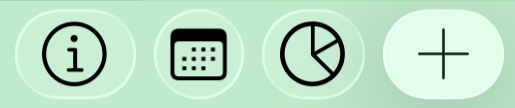
Each button opens a different way to understand, navigate, or act from the screen you are using.
The Info button
The Info button opens the help page for the current screen.
It explains what each area does and how to use the main features available in that section.
The View button
The View button lets you switch between different ways of seeing the same information.
In My day, this includes views such as the Daily Timeline and the Daily List.
Both views show the same day, but they help you understand it from a different perspective.
The Life Balance button
The Life Balance button opens one of the core views in CROSSNote: a visual way to understand where your time is going.
This is not just a statistics page.
It helps you see how your days are being invested across the different areas of your life, so you can notice whether your real time matches what matters to you.
Over time, this view can help you recognize patterns, imbalances, neglected areas, and places where your calendar may be telling a different story than your intentions.
The Add button
The main + button up on the right corner gives you quick access to capture, focus, self-regulation, and self-care actions from My day.
You can use it to create quick notes, record your voice, take a photo, start Pomodoro or Focus, add a meditation session, or take HRV measurements with PPG or Polar.
Some actions create bookmarked notes that automatically appear in My ideas and to-dos, while every record is always saved in My library.
Learn more about the Add button and quick actions.
What are My ideas and to-dos?
My ideas and to-dos is the place for the things you do not want to lose sight of.
It is also a place to quickly capture anything that comes to mind, without needing to classify it, schedule it, or decide where it belongs right away.
Some days it may be a task.
Other days it may be an idea, a reminder, a concern, a conversation, a note to yourself, or something you simply need to get out of your head before it disappears.
You can organize it later, when you have more clarity, more time, or more energy.
This space exists so you do not have to hold everything in your mind, and you do not have to search through your whole library every time something matters.
Capture first, organize later
Not everything needs to be organized the moment it appears.
Sometimes the most important thing is simply to capture it.
My ideas and to-dos works as a kind of brain dump: a place where you can put things quickly, without deciding yet whether they are tasks, notes, projects, reminders, or something else.
This is especially useful when your mind is moving fast, when you are switching contexts, or when you know that if you do not write something down now, you may lose it.
CROSSNote lets you keep the item visible first.
You can classify it, schedule it, move it to a list, or connect it to a calendar event later.
Bookmarked items
An item appears in My ideas and to-dos when it is marked as bookmarked.
If an item is bookmarked, it appears here.
If it is not bookmarked, it stays in My library, but it does not appear in this focused view.
This gives you a simple way to separate everything you have stored from the things you want to keep visible right now.
Everything is still kept in My library
Every CROSSNote record is always kept in My library.
If it is scheduled, it can also appear in My day.
If it is bookmarked, it appears in My ideas and to-dos.
This means that nothing disappears just because it is not on today’s calendar or pinned to your ideas.
My library keeps everything.
My day shows what belongs to the selected day.
My ideas and to-dos shows what you have bookmarked because you want to keep it visible.
Scheduled and unscheduled records
CROSSNote records can be scheduled or unscheduled.
A scheduled record has a calendar event or a time associated with it. It can appear in your day, in the timeline, and in time-based views.
An unscheduled record does not belong to a specific hour or day. It may live only inside CROSSNote, usually inside a list or folder, until you decide what to do with it.
Both types can appear in My ideas and to-dos if they are bookmarked.
This is useful because not everything important belongs on a calendar. Some things are still forming. Some are ideas. Some are notes to yourself. Some are tasks you do not want to forget, but are not ready to schedule yet.
Lists, folders, and No list
Items can belong to a list or folder, helping you organize them by project, area, topic, or personal meaning.
But they do not have to.
If an item does not belong to any list yet, it appears under No list.
This allows you to capture first and organize later. CROSSNote does not require everything to be perfectly classified before it becomes useful.
What is My day?
My day is where you see what belongs to the selected day.
It brings together your calendar items, tasks, routines, all-day events, deadlines, workouts, HRV readings, focus blocks, and other CROSSNote records into one place.
Instead of separating your calendar, tasks, health data, notes, and reflections across different apps, CROSSNote helps you see them as part of the same day.
The goal is not just to manage time.
It is to understand what is present in your life today.
Two ways to see your day
My day has two main views.
The Daily Timeline shows your day visually across time, like a calendar.
The Daily List shows your day as a sequence, with more context, actions, and information between items.
Both views show the same day, but they help you understand it in different ways.
The timeline helps you see where things are placed.
The list helps you understand the flow of the day.
The Daily Timeline
The Daily Timeline shows your day as it unfolds.
It displays calendar items from your selected calendars in a clear time-based view, so you can see what is planned, what has already happened, and how your day is taking shape.
These calendar items may include meetings, tasks, appointments, routines, workouts, HRV readings, and other CROSSNote records.
At the top, all-day items appear separately from timed items. This makes it easier to distinguish between things that belong to the whole day and things that happen at a specific time.
Calendar synchronization
CROSSNote stays synchronized with your calendars.
When you move or resize a calendar item in CROSSNote, the change is updated in the original calendar too. When something changes in your external calendar, CROSSNote reflects that change in your day.
This synchronization applies to calendar data.
On top of that, CROSSNote adds its own layer, where it can keep notes, recordings, health context, reflections, tags, and other information that a normal calendar cannot store.
Your daily intention
If you define a daily goal or intention in the Personal section, it appears above your day.
This helps keep something important visible while you move through the practical details of your schedule.
Your calendar shows what is happening.
Your daily intention reminds you what matters.
The Daily List
The Daily List shows your day as a sequence.
It contains the same kind of items as the Daily Timeline, but presented with more detail. This makes it easier to understand what each item belongs to, what state it is in, and what you may want to do with it.
The list can show calendar events, tasks, all-day items, deadlines, workouts, HRV readings, focus blocks, routines, and other CROSSNote records.
It is not just a list of things to finish.
It is a way to stay aware of your time, your commitments, your energy, and the space between them.
Time between items
Between items, CROSSNote shows the time available before the next one.
It can also show how much time remains from where you are now.
This helps you stay oriented during the day without constantly recalculating what comes next. You can see the spaces, transitions, gaps, and pressure points in your day more clearly.
Sometimes the most important part of a day is not only what is scheduled.
It is the space between things.
Understanding each item
Each item can show useful context at a glance.
Depending on the type of item, you may see its time, title, list or folder, calendar information, health data, workout details, tags, or related information.
Some items include a colored vertical marker. This can be used as a tag or visual category, helping you recognize items quickly by topic, area, project, or any personal criterion you define.
Closed items are shown with a completed checkbox and crossed-out text, so you can clearly see what is already handled and what is still open.
Quick actions
You can swipe items to act on them directly.
Swipe left to delete an item.
Swipe right to reveal quick actions. Depending on the item, you can add a recording, start a Pomodoro, or begin a mental focus session linked to that specific item.
When you record something from an item, the recording is saved inside that item. This keeps the information attached to the context where it belongs.
Time-based tools, such as Pomodoro, are available when an item has a scheduled duration.
Long press menus
A long press gives you more control.
Long press an item to open its action menu. From there, you can edit it, move it to another day or week, delete it, or review its current status.
Long press directly on the checkbox to change the item’s state.
An item can be open, closed, closed and still visible, in progress, or canceled / not attended.
This matters because CROSSNote does not push you to complete everything.
Some things are done.
Some things are moved.
Some things are canceled.
Some things simply need to stay visible.
Awareness, not pressure
CROSSNote is not designed to make you do more at any cost.
It is designed to help you stay aware of what is present, make clearer decisions, and take responsibility for your day without turning your life into a productivity race.
When something belongs today, you can keep it there.
When something no longer belongs today, you can move it.
When something is no longer relevant, you can delete it.
When something happened, you can close it.
When something did not happen, you can mark it as canceled or not attended.
Your day is not measured only by how many tasks you complete.
It is also shaped by the decisions you make about your time, your attention, and your energy.